NODUS is launching Q2 2026 — Get PRO early access  ·  MIT licensed  ·  Star on GitHub ★
Now on Firefox Free Forever MIT License

Your AI conversations,
captured & organized
locally.

NODUS is a browser extension that lets you save, tag, chain, and search AI conversations across ChatGPT, Claude, Gemini, and 4 more platforms — all stored privately on your own machine.

No account required
Chrome · Firefox · Edge · Brave
7 AI platforms
NODUS Dashboard Default Queue
🔗
📁
🔍
All
Quick
Q1
Refactor auth middleware with JWT
Claude
Here's a cleaner approach using middleware composition. First, extract the token validation logic into a pure function...
CSS grid responsive layout breakdown
ChatGPT
Use grid-template-areas for semantic layouts. The auto-fill + minmax pattern gives you fluid columns without media queries...
SQL query optimization for large datasets
Gemini
Index your foreign keys and consider partial indexes for filtered queries. The EXPLAIN ANALYZE output shows a seq scan...

Three steps. That's it.

NODUS sits invisibly in your browser and activates only when you want it to. No paste, no copy, no friction.

Step 01
🧠
Browse any AI

NODUS activates on 7 platforms the moment you open them. No setup per site — it just works.

ChatGPT Claude Gemini Perplexity Copilot Grok DeepSeek
Step 02
💾
Click Save or Quick

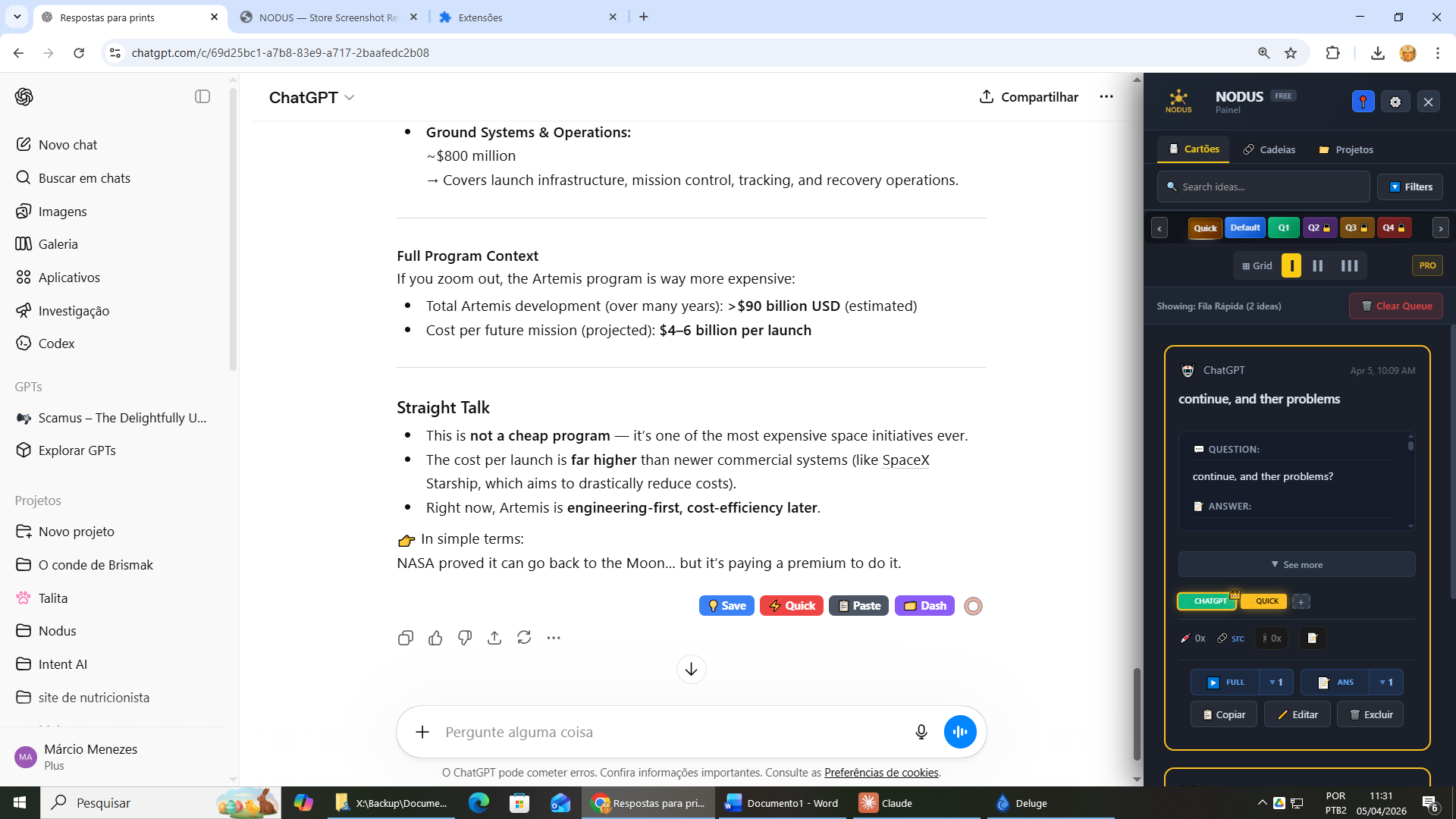
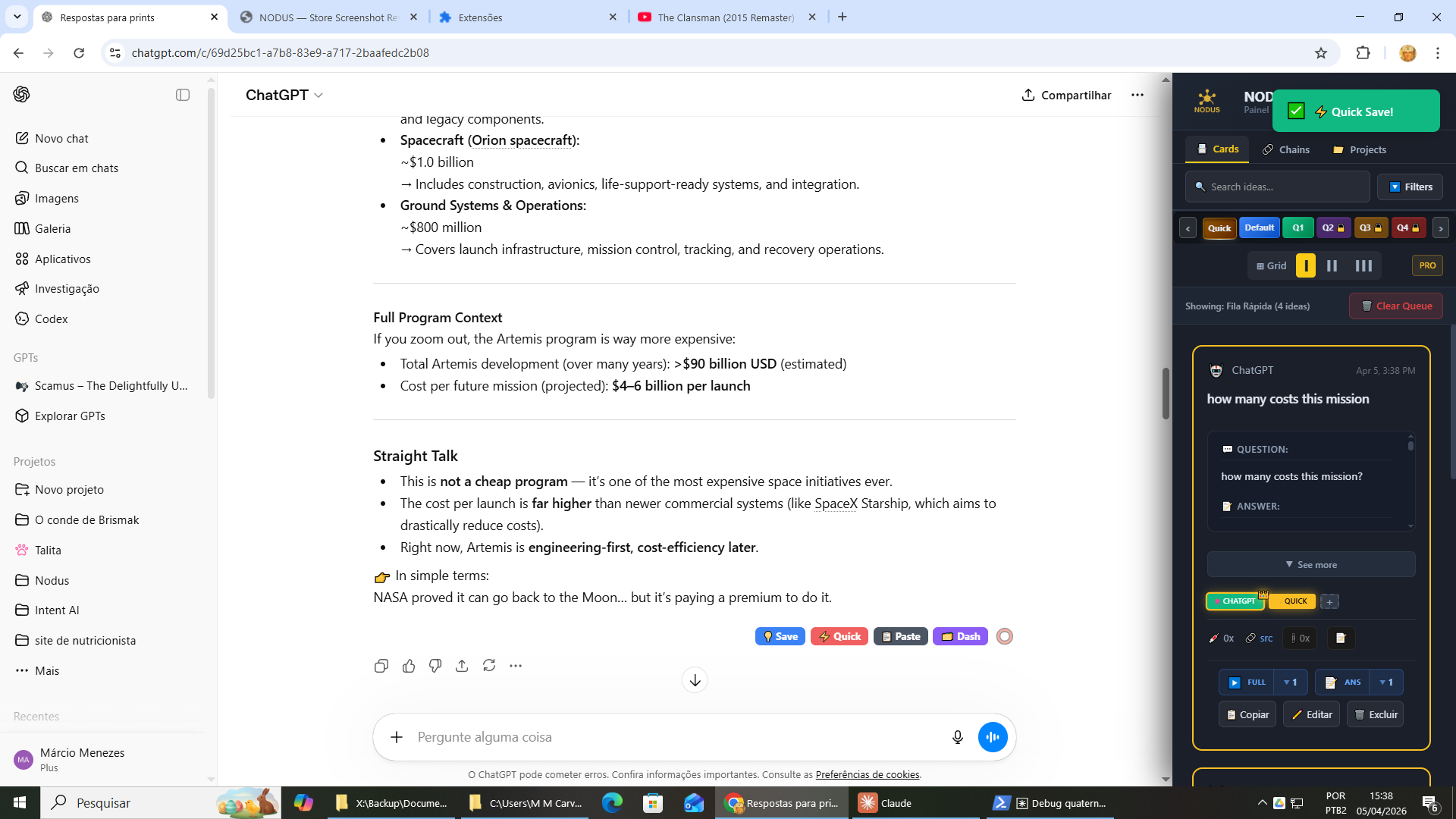
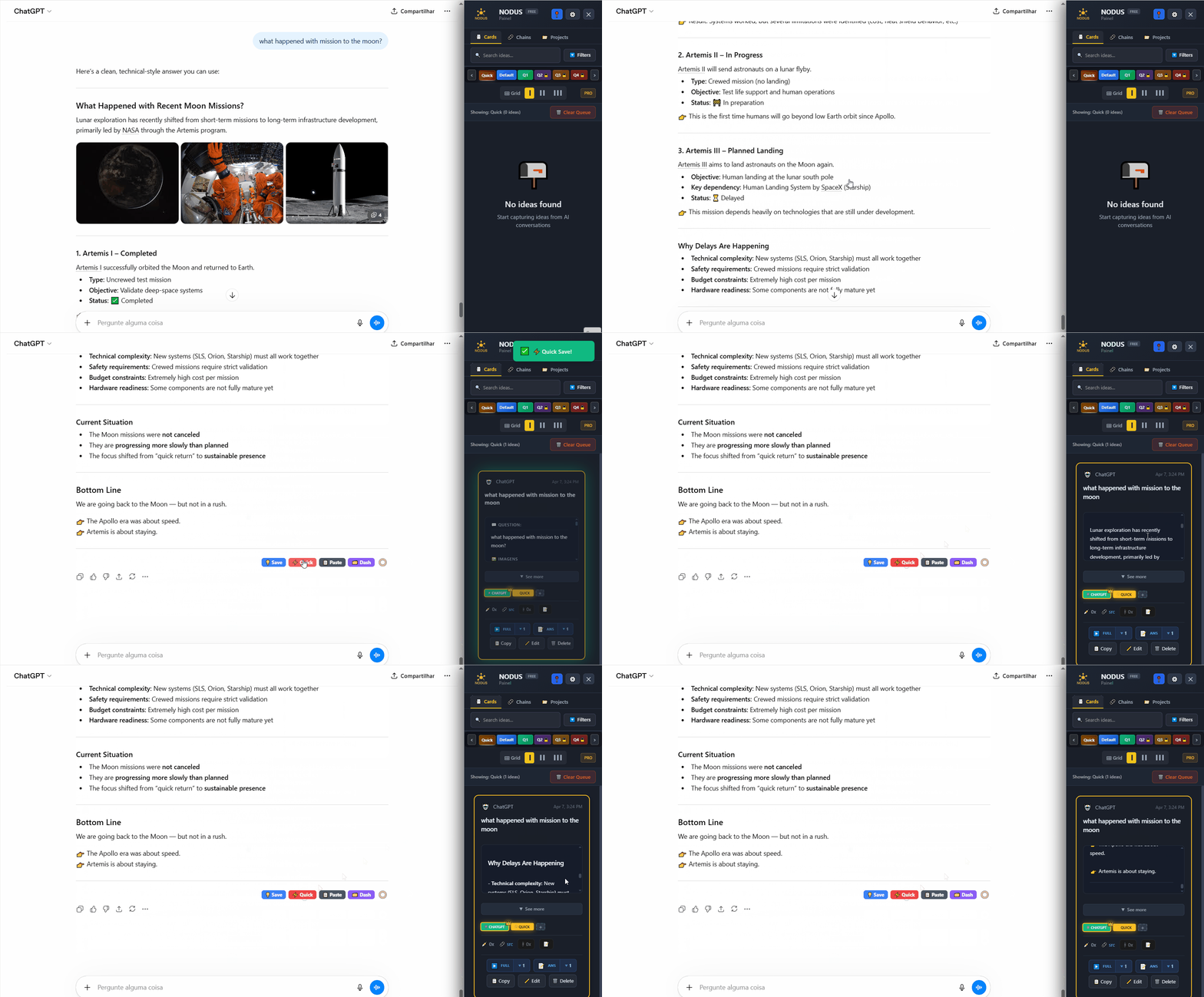
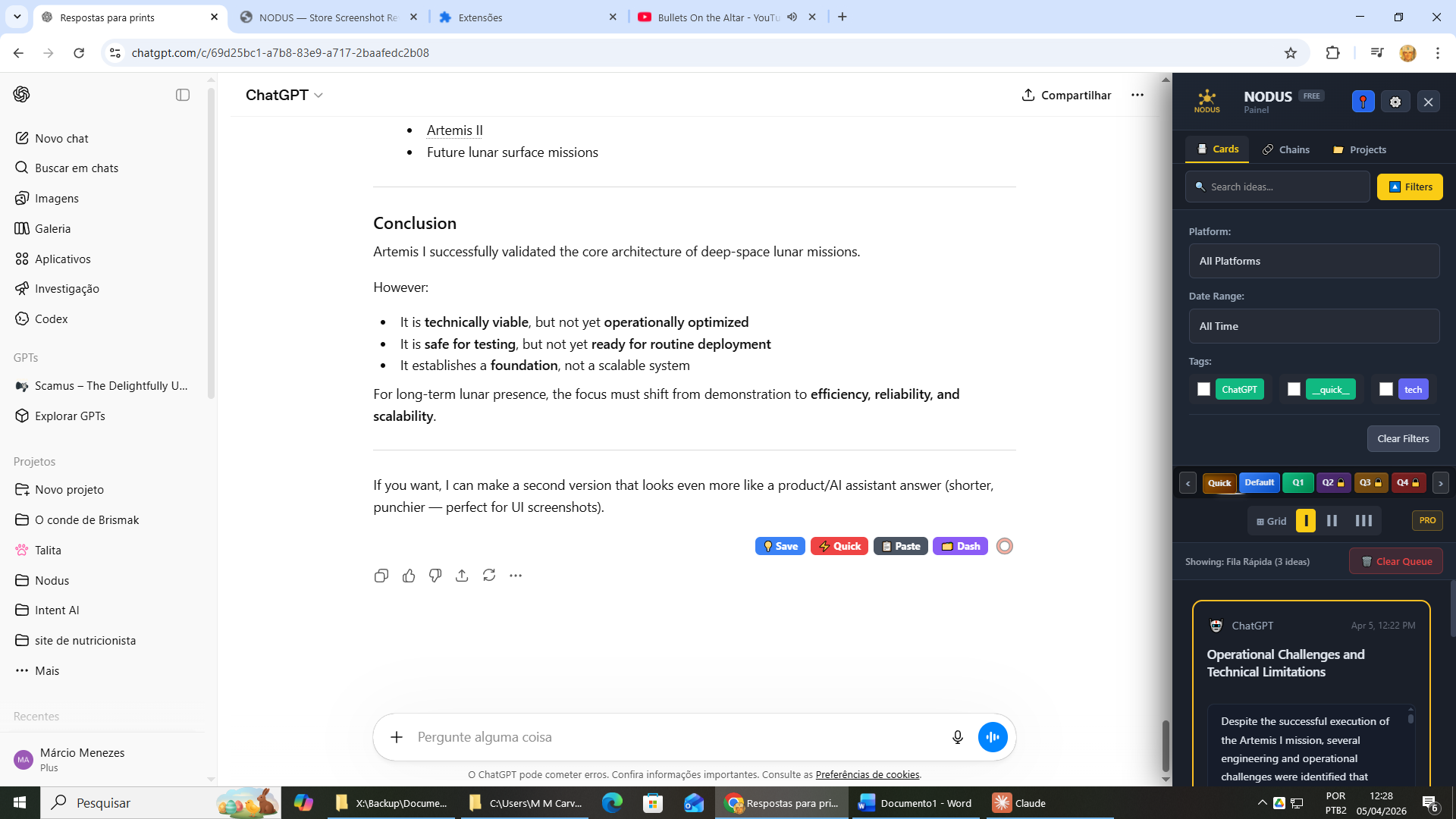
A floating button pair appears on every AI page. Save captures to your Default queue. Quick captures to your Quick queue instantly.

Claude: Here's how to implement a binary search tree in Python. The key insight is that each node stores a value and optional left/right children...
💾 Save
⚡ Quick
Step 03
📚
Organize in your dashboard

Open your NODUS dashboard to add tags, write notes, build chains, search across all platforms, and inject content back into any AI.

tags chains notes search inject
NODUS demo — save AI response with one click

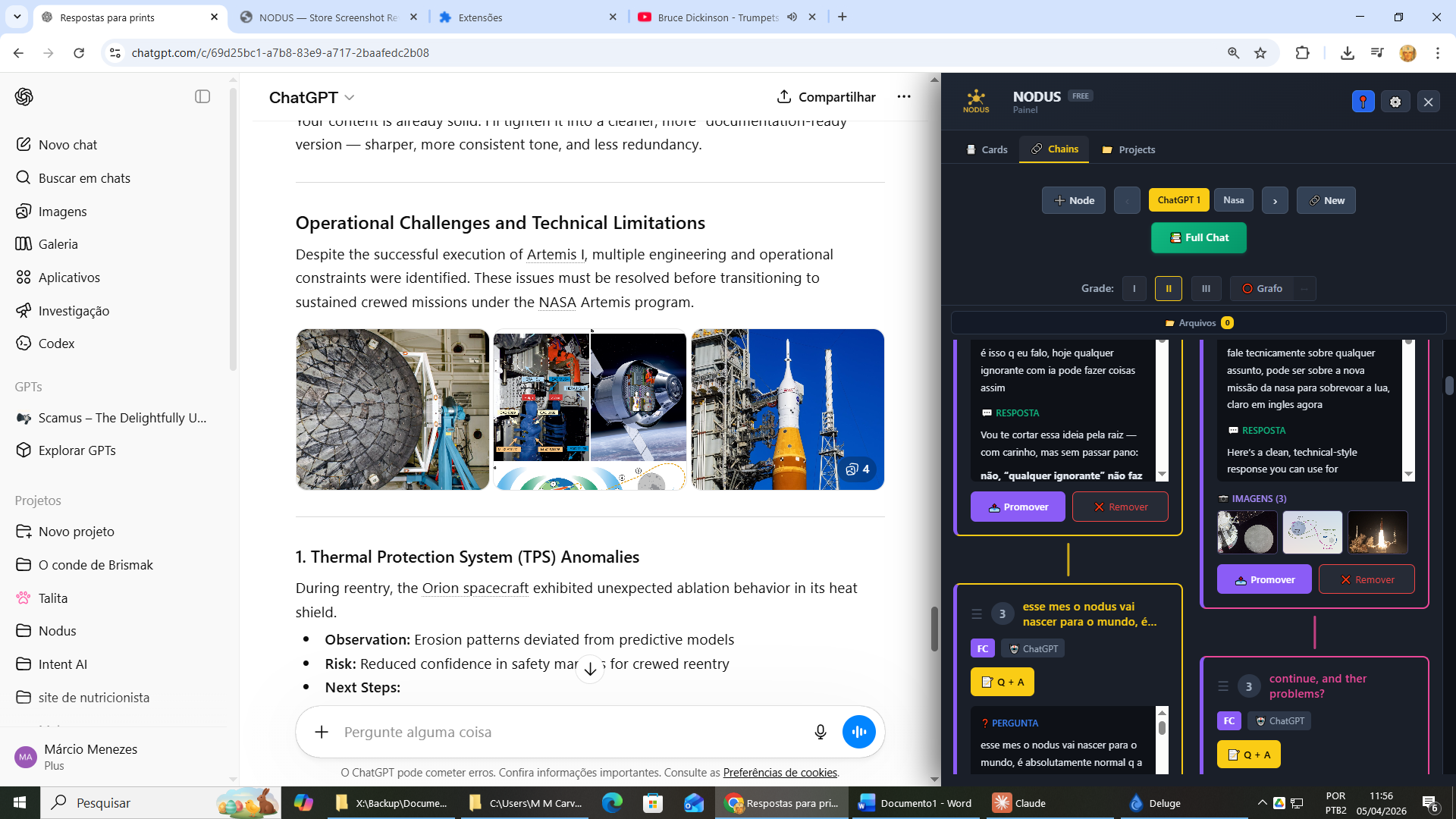
Chains: link your best captures

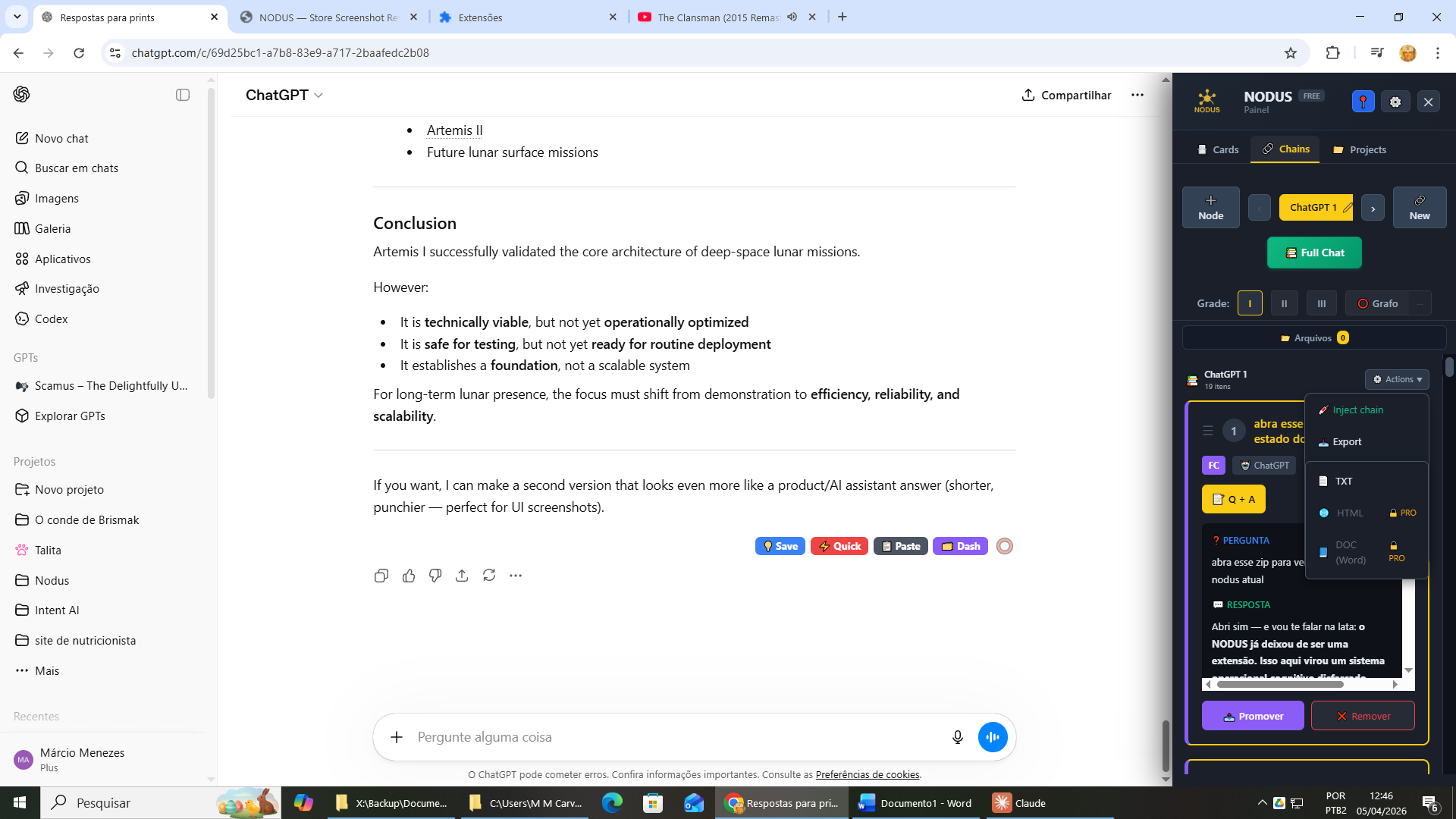
Group related captures into ordered chains. Build a knowledge trail across sessions, platforms, and topics — then export as TXT, HTML, or DOCX.

Chains +
🔗
Auth System Refactor
4 nodes
🔗
Landing Page Copy
3 nodes
🔗
DB Optimization
2 nodes
🔗
API Design Notes
6 nodes
🔗
Interview Prep
5 nodes
🔗 Auth System Refactor 4 nodes
#1 Claude Mar 28
JWT vs session-based auth tradeoffs
JWTs are stateless and scale horizontally, but revocation is hard without a blocklist. Sessions require server-side state but allow instant invalidation. For your use case with multiple services, JWT with short expiry + refresh tokens is the standard approach.
#2 Claude Mar 28
Refactor auth middleware implementation
Extract token validation into a pure function. Compose middleware: rateLimiter → tokenExtractor → claimsValidator → permissionsGuard. Each step returns either a validated context or throws typed errors.
#3 ChatGPT Mar 29
Unit tests for auth middleware
Use Jest with custom matchers for auth errors. Mock the token validator at the module boundary. Test each middleware in isolation, then integration-test the composed chain with a mock Express app.
#4 Gemini Mar 30
Security audit checklist
Checklist: token expiry enforced, HttpOnly cookies, CORS policy locked, refresh token rotation, secrets in env vars only, audit log on failed auth attempts.

See it running

Real screenshots of NODUS working inside ChatGPT and other AI platforms — no mockups.

7 AI platforms, one dashboard

NODUS works wherever you already work. No switching tabs, no copy-pasting. More platforms coming.

🧠
ChatGPT
chat.openai.com
Claude
claude.ai
💠
Gemini
gemini.google.com
🔎
Perplexity
perplexity.ai
🤖
Copilot
copilot.microsoft.com
🐥
Grok
grok.com
🌊
DeepSeek
chat.deepseek.com

Free forever. Upgrade when you're ready.

The FREE plan is genuinely complete for most users. PRO unlocks power features for heavy users and teams.

Free
$ 0 / month
Free forever — no credit card needed

  • Save + Quick capture buttons
  • Dashboard: cards, tags, notes, search
  • 3 queues (Quick, Default, Q1)
  • Unlimited chains
  • Chain export TXT
  • Full Chat Capture: unlimited
  • Projects: up to 3
  • Inject content back into any AI
  • Attachments
  • 10 languages interface
Get Free
Feature Free PRO
Save + Quick capture buttons
Dashboard (cards, tags, notes, search)
Queues 3 queues 6 queues
Unlimited chains
Chain export TXT only TXT + HTML + DOCX
Full Chat Capture
Projects Up to 3 Unlimited
Inject content into any AI
Attachments
Encrypted backup (AES-256-GCM)
Auto Capture (keyword-based per platform)
PT / EN / ES interface

Your data stays on your machine.

NODUS is built on a local-first principle. Everything you capture is stored in your browser's local storage — never uploaded, never shared, never mined.

Data Flow
🧠 AI Platform
ChatGPT, Claude, Gemini…
capture (local only)
◉ NODUS Extension
browser.storage.local
stored on device
💻 Your Browser
100% local storage
🚫 Your content stays on your device
No content upload · No account sync · Usage stats: opt-in only
🔒

All data stored locally

Captures, tags, notes, chains, and projects live exclusively in your browser's local storage. Nothing leaves your device unless you explicitly export it.

🕵

No account, no tracking

NODUS requires no login and stores no personal information. Optional anonymous telemetry is off by default — it collects no conversation content, no identity, and is fully auditable in the source code.

💾

PRO backup is encrypted

PRO's optional backup feature uses AES-256-GCM encryption with a password you set. The encrypted file is only readable with your key — not by us.

🚫

What we never do

No reading of your conversation content, no capturing of what you save, no third-party data sharing, no advertising SDK. Telemetry is anonymous, opt-in, and auditable in the source code.

Built in the open.

NODUS core is MIT licensed. You can read the source, fork it, and contribute. PRO features are commercial add-ons that fund ongoing development.

🔓 Open Source Core

MIT licensed — free to use, modify, and distribute. No copyleft, no restrictions.

Capture engine
Dashboard UI
Chains feature
Tag & search system
All FREE plan features
i18n (PT / EN / ES)
PRO Add-ons

Commercial features that keep the lights on. $4.50/month or $30/year funds active development.

6 queues total
HTML + DOCX export
Unlimited Full Chat Capture
Unlimited projects
AES-256-GCM encrypted backup
Auto Capture (keyword-based)

Install free —
no account required.

Works on Chrome, Firefox, Edge, and Brave. Your data never leaves your browser. Upgrade to PRO whenever you need more.

⚡ Install NODUS Free Get PRO — $4.50/month

MIT licensed  ·  Chrome · Firefox · Edge · Brave  ·  Launching Q2 2026

Frequently asked

Quick answers to the most common questions about NODUS.

How do I save ChatGPT conversations?

Install NODUS and a floating button appears on every supported AI page. Click Save to instantly capture the conversation to your private local dashboard — no copy-pasting, no account needed.

Can I export my AI chat history?

Yes. Export your captures as TXT, HTML or DOCX. You can also chain related captures across sessions and export entire knowledge trails at once.

Does it work with Claude and Gemini?

NODUS saves conversations from 7 AI platforms: ChatGPT, Claude, Gemini, Perplexity, Copilot, Grok and DeepSeek — all in one dashboard, stored locally on your device.

Is my conversation data private?

100% private. NODUS stores everything in your browser's local storage — nothing is ever uploaded to any server, synced to the cloud, or shared with third parties.

Is NODUS free?

Yes, the core features are free forever. Save, tag, search and export your AI conversation history at no cost. A PRO plan unlocks advanced features for power users.

Which browsers are supported?

NODUS works on Chrome, Firefox, Edge and Brave. Any Chromium-based browser is supported. Install once and it works across all your AI platforms automatically.

How to never lose a ChatGPT response again?

NODUS captures responses the moment you click Save — before you close the tab, refresh, or ChatGPT clears the session. Your conversation history is always safe in your local dashboard.

How to export a ChatGPT conversation to Word or PDF?

With NODUS, export any saved conversation as DOCX (Word) or HTML (which you can print to PDF). Chain multiple captures and export them together as a single structured document.

How to save Gemini or Perplexity conversations?

NODUS works natively on Gemini, Perplexity, Copilot, Grok and DeepSeek — not just ChatGPT. The same floating Save button appears on every supported platform automatically.

How to organize AI conversations in one place?

NODUS gives you a unified dashboard where you tag, search, and chain captures from any AI platform. Filter by platform, tag, or date — everything in one place, stored locally.

How to backup AI conversations offline?

NODUS stores everything in your browser's local storage — it works completely offline. No internet connection is needed to access, search or export your saved AI conversations.

Is there an extension to save Claude AI responses?

Yes — NODUS is a free browser extension that saves Claude AI responses locally with one click. Tag them, link them to ChatGPT or Gemini captures, and search across everything in your dashboard.
Firefox
Firefox Add-ons
Disponível
🚀
Em breve
Estamos finalizando a publicação.
Em breve disponível!